

11 juillet 2006
Subtitle File #2 by fontaz
Fontaz's subtitle file, it is better syncronised than Tiktak's one, and I corrected a few mestakes in it:
So tu use this with windows you can do this:
Get VLC:
Open the video file "open file (advanced)":
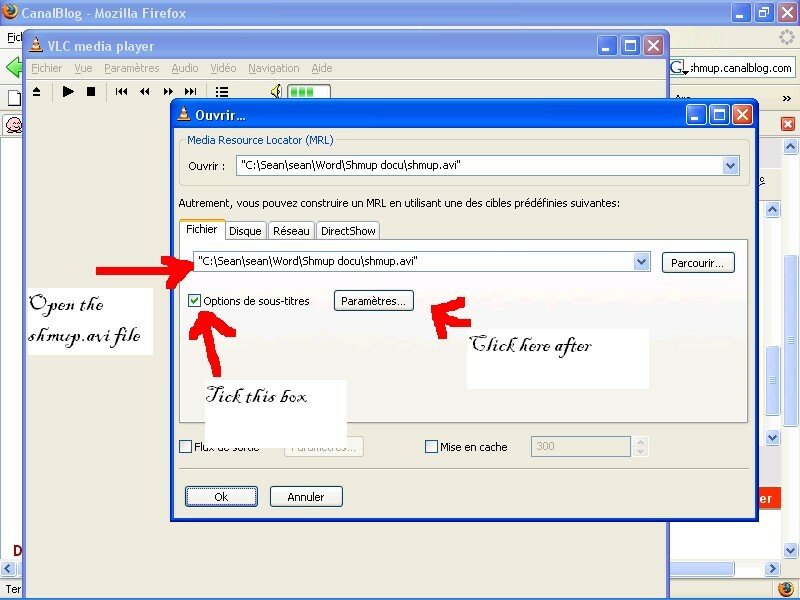
then load the subtitle file like this:
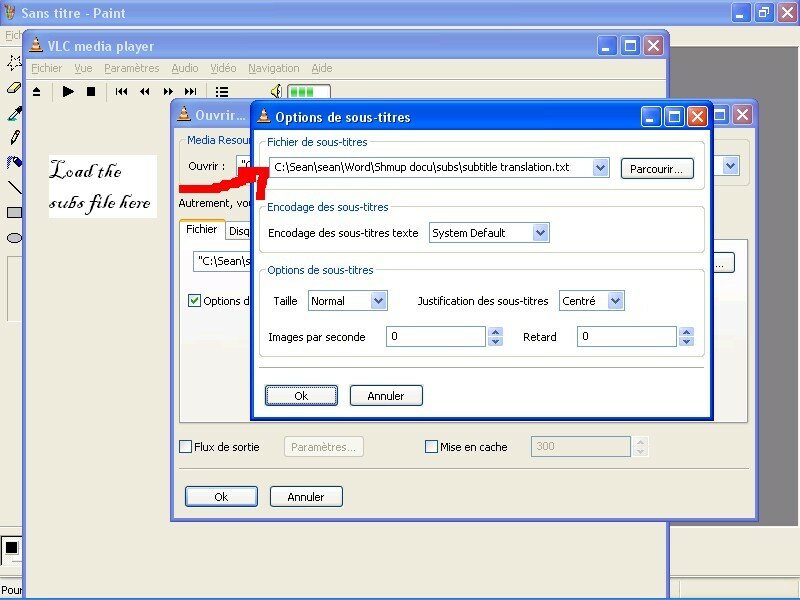
They also work with mplayer too: all you have to do is put them in the same directory.


/https%3A%2F%2Fassets.over-blog.com%2Ft%2Fcedistic%2Fcamera.png)
/https%3A%2F%2Fstorage.canalblog.com%2F67%2F68%2F160539%2F5552350_o.jpg)
Publicité
Publicité
Commentaires
6